Your Shopping Cart:

Your Cart is Empty

Use Amazon Checkout Use Paypal Checkout

You are not currently logged in.
Login  |  Register

Check out the NEW WEBstaurantStore.com!

Product Search

Browse by Category

Browse by Business Type

Have a Restaurant Supply Question?

Ask a question

Ask us your restaurant supply questions!

Or


Receive Specials on Restaurant Supplies in Your Inbox

Ask a question

We Securely Accept
We accept visa, master card, discover, paypal, american express


The WEBstaurant Store > Food Service Help > The WEBstaurant Store TV > Crown Verity Badge Replacement Instructions


Crown Verity Badge Replacement Instructions


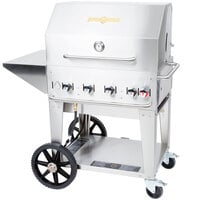
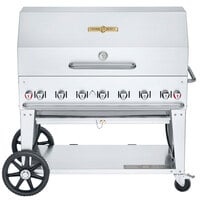
Watch this video and learn how to change the badge on Crown Verity's grills!

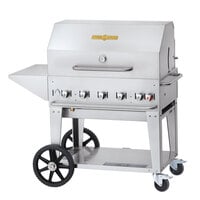
Badge replacement: the Crown Verity badge is held on with three spring clips on the inside, and for TV we’ve left two off. To remove the last one there just get yourself a flat screwdriver and pry these clips off. You’re new badge will come with the three clips all ready to go. Just install the badge in the three holes, again open the roll dome. From inside start that clip by hand, and do all three. We need to seat those clips and the best tool for that is in my back pocket, it’s a nut driver or a socket. Line that up like so and support the badge here with our hand and push on those clips. That’s all there is to it, badge installed.
  
Video Rating:
Average rating 0 out of 0 votes.
Receive our videos via RSS feed


All Material Copyright © 2003-2013 The WEBstaurant Store
Food Service Equipment and Supply Company
All Rights Reserved